Digital Photo Studios
Create urgent 8-photo passport sheets (4x6), white background changes, and natural skin softening for studio portraits in seconds.
- ✓ 35mm x 45mm Passport Grids
- ✓ Natural Studio Retouch
- ✓ 4x6 & A4 Photo Sheet Layout
No Photoshop complexity. 1-Click Passport Photo grids (8/16/32), instant AI Background Removal, Aadhaar & Voter Card auto-split print sheets, and SSC/Govt exam photo resizers. 100% Offline & Private.
Select India Passport (35×45mm), PAN, Visa, School ID. Auto face detection & 300 DPI scaling.
Auto background removal (White/Blue/Plain), skin smoothing, blemishes cleanup & auto exposure.
8 Photos on 4×6, 16 Photos on A4, or 32 on A4 with precision cut lines & border margins.
ChitraCut replaces 10 tedious Photoshop actions with 1-click workflows so shop operators can serve customers in under 30 seconds.
Create urgent 8-photo passport sheets (4x6), white background changes, and natural skin softening for studio portraits in seconds.
Fast document printing for e-Aadhaar, Voter ID, and PAN card splitting. Auto contrast enhance and 2-side A4 sheet placement.
Resize photos & signatures to exact requirements for SSC, UPSC, IBPS, Police, Railway, and State recruitment portal limits.
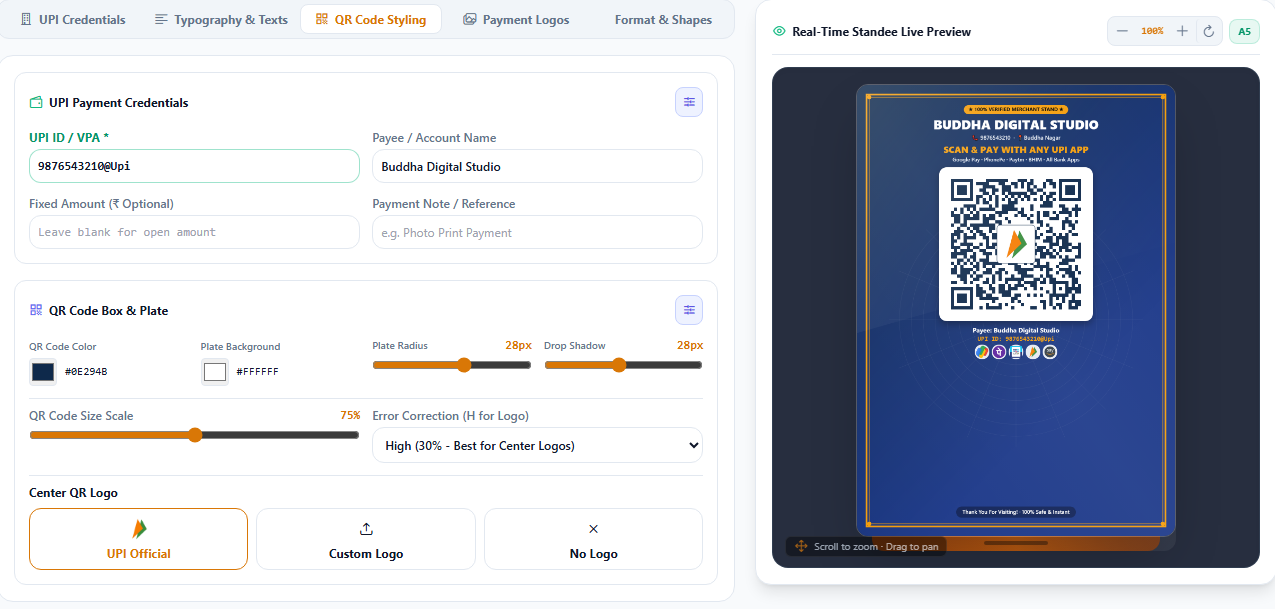
Generate custom shop QR payment stands, PhonePe/GPay acrylic stickers, barcode series, and high-resolution logo cutouts.
Everything a professional printing and editing shop operator needs, bundled into one ultra-lightweight desktop engine.
1-Click cutout. Export transparent PNG, solid white canvas, or custom passport studio backdrop.
AI face centering & alignment for India Passport, PAN, Aadhaar, USA/Schengen Visa & School IDs.
Instant grid layouts: 8 on 4x6, 16 on A4, 32 on A4 with custom cut marks, margins, and gaps at 300 DPI.
Auto crop & split e-Aadhaar & Voter IDs into front/back cards, enhance clarity, and print 1 or 2-sided.
Match exact file size (e.g. 20KB-50KB), DPI (200/300) and pixel dimension requirements for govt portal forms.
Design professional GPay, PhonePe, Paytm acrylic payment stands, table stickers, and shop banners.
Natural skin softening, blemish smoothing, detail preservation without artificial plastic look.
Fix underexposed, dark, or yellow photographs with automatic white balance and dynamic range tuning.
Super-resolution 2x and 4x AI upscaling for low-resolution old photos and mobile camera pictures.
Brush over unwanted people, date stamps, watermarks, or photo scratches to cleanly remove them.
Breathe vibrant natural life into black & white vintage family photographs in 1 click.
Eliminate slight camera shake and bring sharp crisp definition to eye, hair, and clothing details.
Unlike heavy web apps or slow Adobe suites that require monthly subscriptions and high-end gaming GPUs, ChitraCut is built in Rust and Tauri 2. It opens in less than a second and operates completely offline without lagging.
Your customer photos never leave your computer. High privacy compliance and instant processing even when your internet is down.
Uses less than 150 MB RAM on idle. Optimized for typical budget studio PCs (Intel i3 / 4GB RAM).
Directly print to Canon Selphy, Epson L805/L850, HP Ink Tank, or brother dye sublimation printers with 300 DPI accuracy.
Explore real-world screenshot tutorials covering instant passport grids, Aadhaar & PAN card auto-splitting, Sarkari exam photo resizing, and offline AI background removal.
Traditional Pen Tool cutouts in Photoshop take 5 to 10 minutes per customer. With ChitraCut's embedded RMBG-1.4 AI engine, studios get studio-quality hair edge refinement, transparent PNG exports, or instant plain white/blue replacement in under 1.5 seconds completely offline.
1-Click Remove BG to generate alpha mask locally.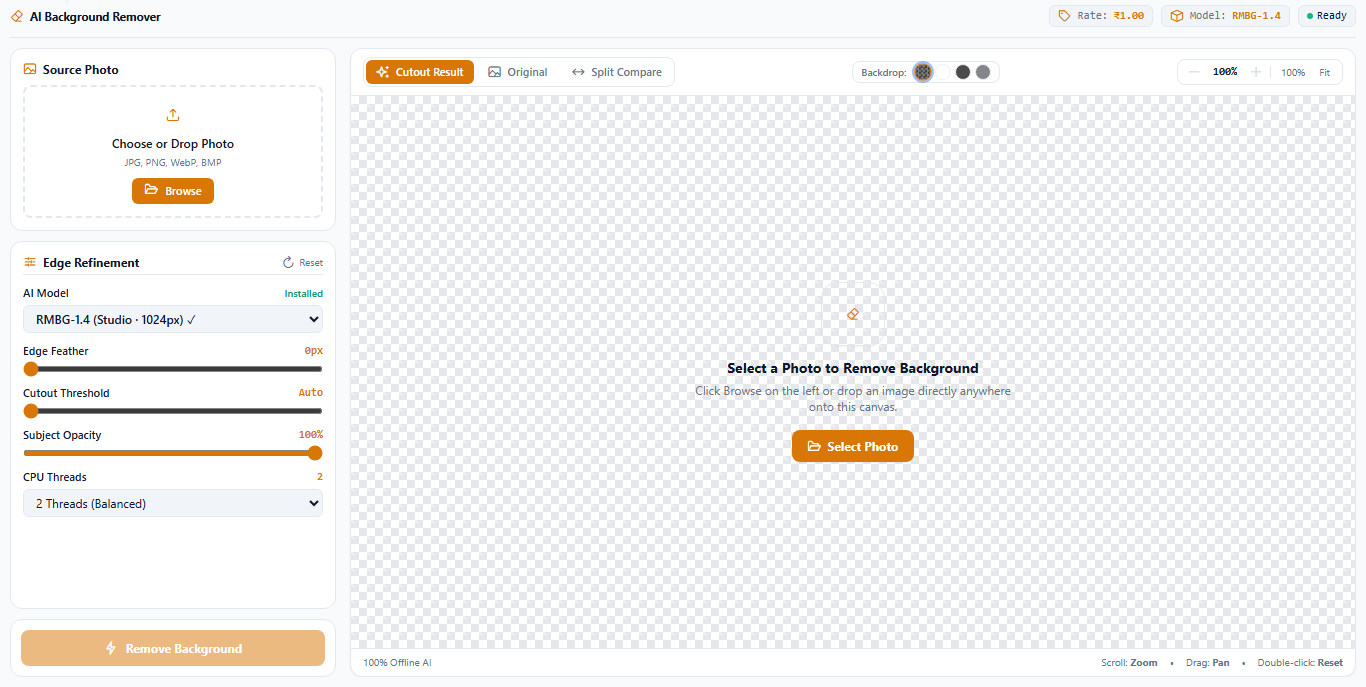
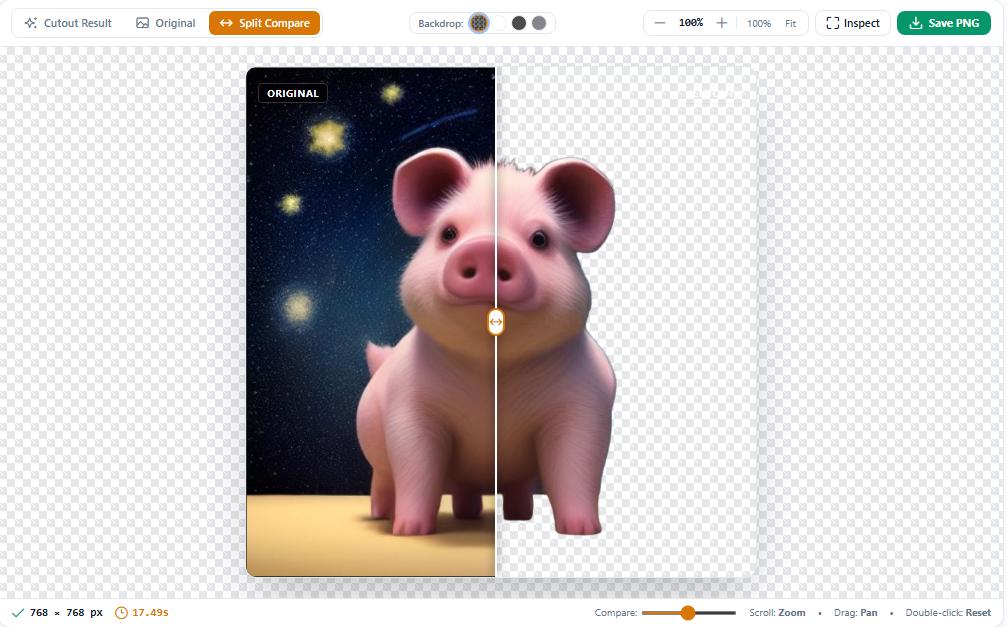
Side-by-side Before/After preview with sub-pixel hair strand separation
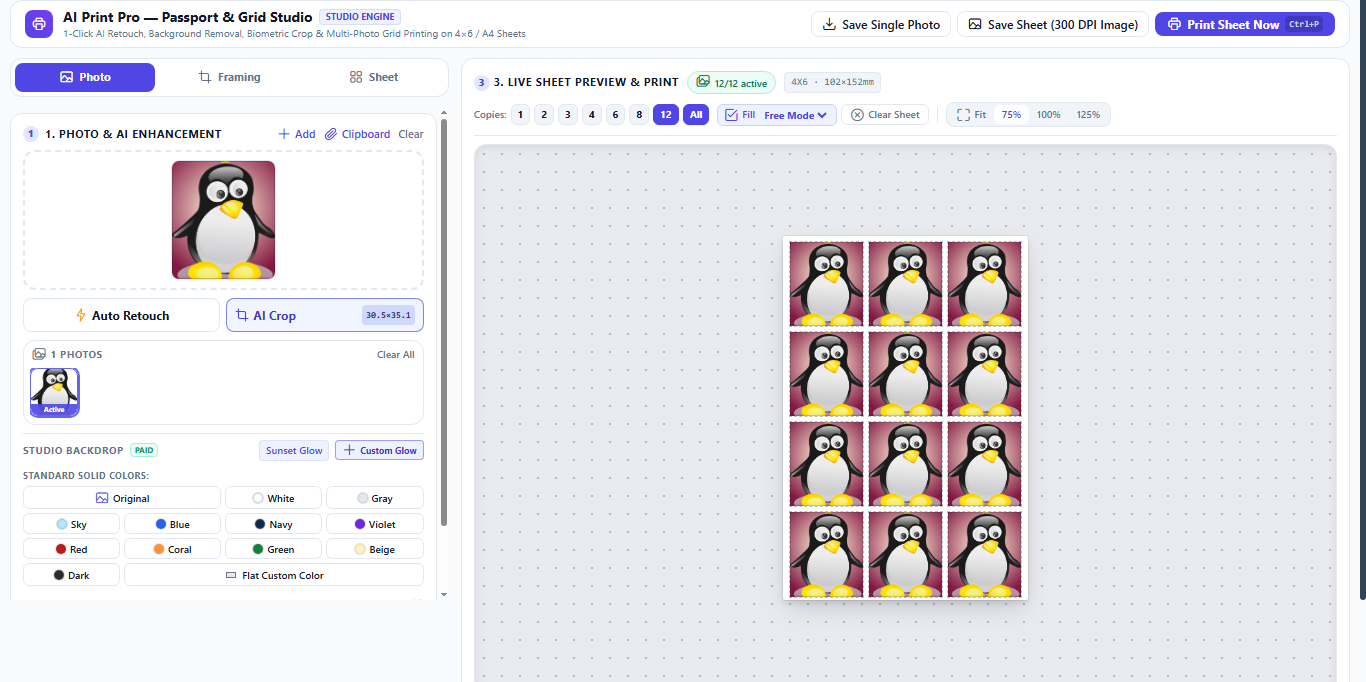
Never manually duplicate layers, measure gaps, or draw ruler guidelines in Photoshop again. ChitraCut's AI Print Pro automatically scales headshots to exact physical dimensions (35×45mm, 2×2 inch US Visa, 30×40mm Stamp), arranges maximum fits, and draws corner cutting markers.
Cyber cafes and CSC kiosks receive hundreds of e-Aadhaar PDFs and photo-scanned IDs every week. Document Auto Print automatically detects card regions, splits front & back sides, straightens skewed scanner corners, sharpens text, and lays them side-by-side ready for A4 photo lamination or PVC card printing.
e-Aadhaar Card, Voter EPIC, or PAN Card.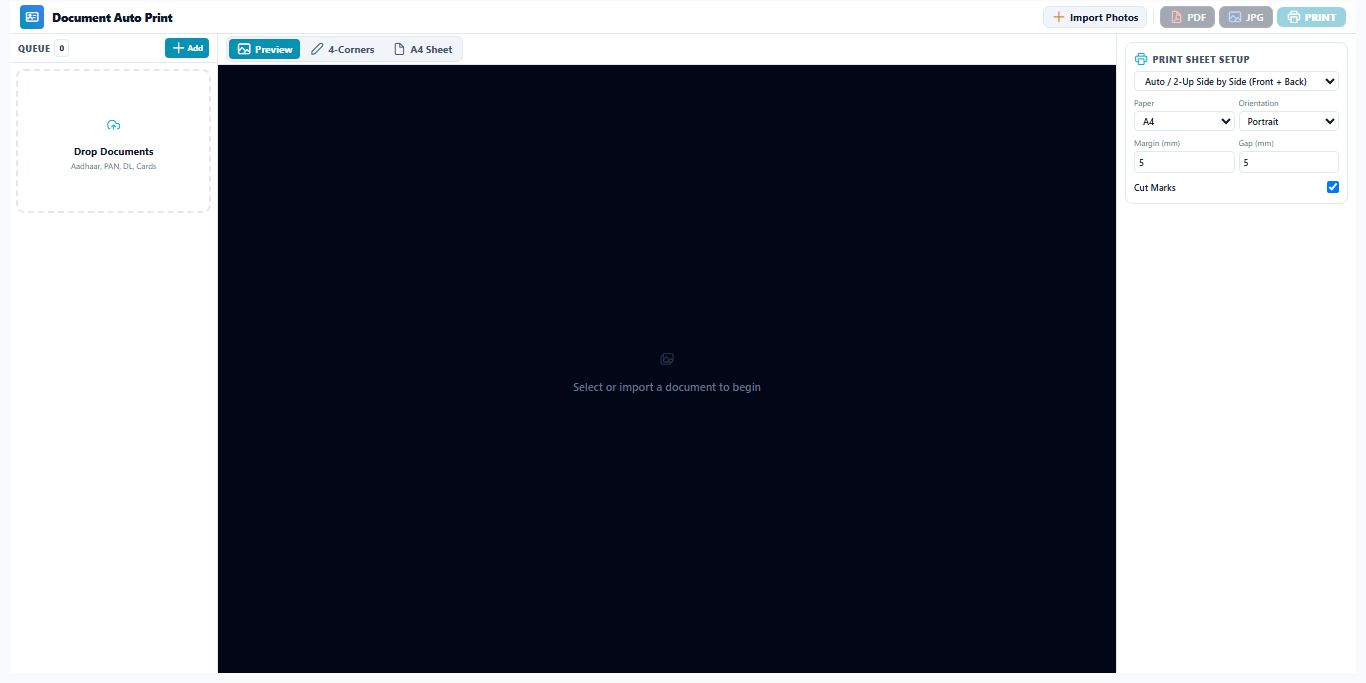
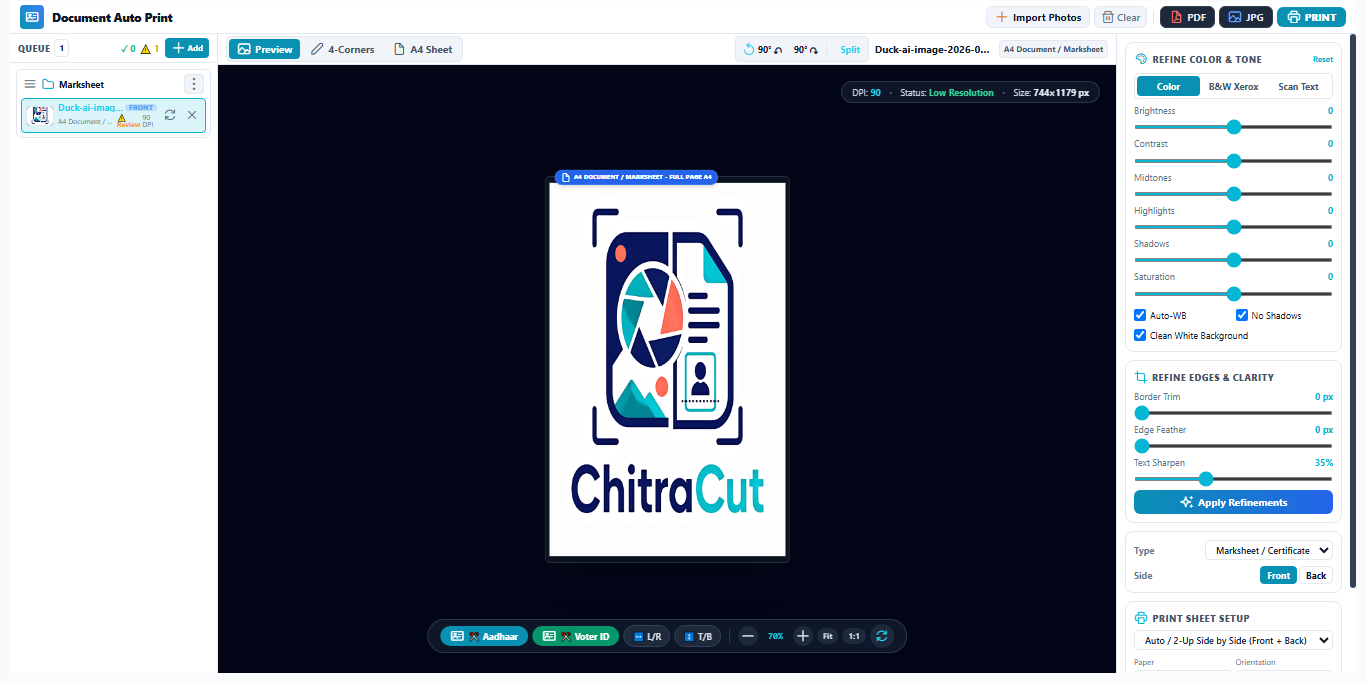
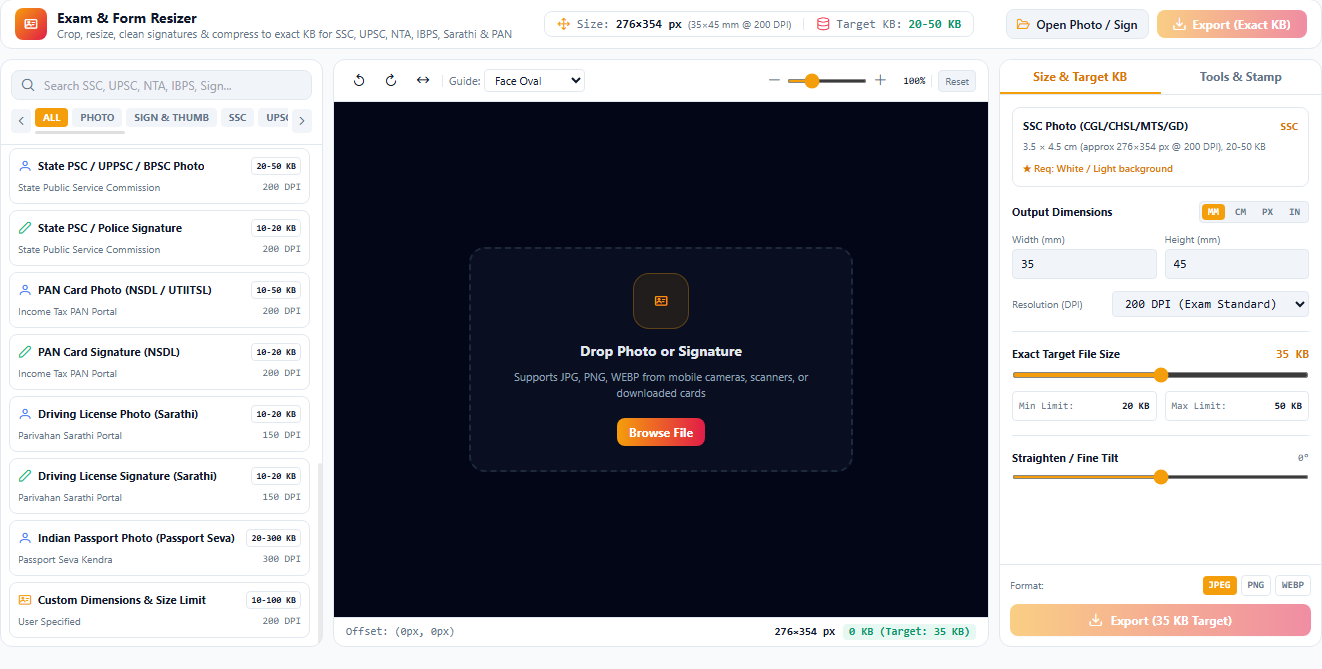
SSC CGL, CHSL, GD, UPSC NDA/IAS, IBPS Bank PO/Clerk, Railway RRB, State Police, NTA NEET/JEE, UPSSSC, BPSC, & Sarkari Result Forms.
Online government recruitment portals strictly reject files larger than 50 KB or smaller than 20 KB, or files missing proper 200/300 DPI metadata. ChitraCut's Exam Form Resizer uses smart binary compression to hit the target file size with 100% precision without degrading face clarity.
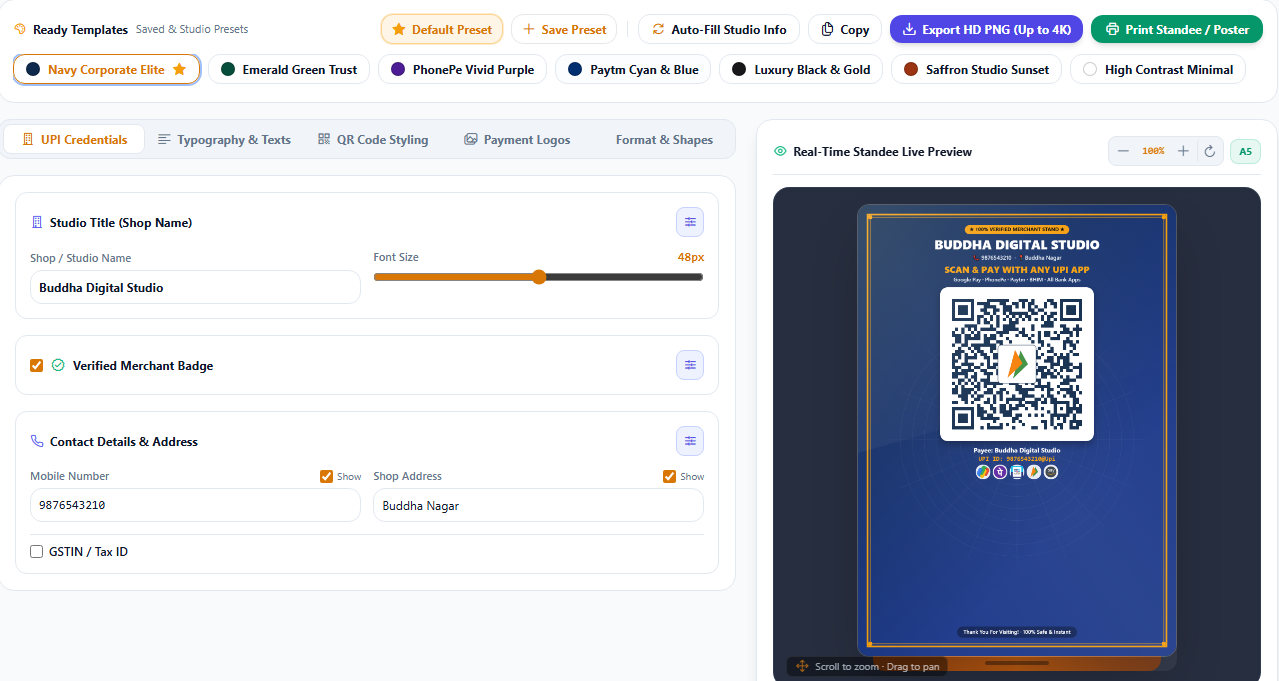
Local shops, restaurants, and medical stores want personalized UPI payment stands with their business branding rather than plain plastic codes. ChitraCut's UPI Stand Designer allows printing shops to generate custom acrylic counter stands, QR stickers, and table tents within 30 seconds.
Find answers to common questions about ChitraCut photo studio desktop software.
Yes. All AI vision segmentation (RMBG-1.4), passport face cropping, document splitting, retouching, and 300 DPI sheet layout engines run locally on your PC CPU/GPU. Customer photographs are never transmitted across the internet.
Simply open your photo in ChitraCut, click 1-Click Retouch or Passport Crop to set 35x45mm dimensions, then click Photo Sheet. Select 4x6 (8 photos) or A4 (16/32 photos), adjust corner cut marks if needed, and hit Print or Save!
Yes! The Document Auto Print tool has preset bounding coordinates for e-Aadhaar, Old Voter ID, New EPIC card, and PAN cards. It automatically slices the front and back portions, enhances contrast, and places them ready on an A4 sheet for instant printing.
You select the exam preset or type your target size (e.g. exactly between 20 KB and 50 KB, 3.5cm x 4.5cm, 200 DPI). ChitraCut compresses and rescales using iterative binary search algorithms to guarantee the file size fits within the portal's strict limits without blurry artifacts.
Yes. You can drag and drop 50 to 100 photos into Batch Processor, choose an operation (like Background Remove to White, Auto Enhance, or Resizing), and process all photos in parallel with multi-threading.
Unlock all 16+ AI photo studio and document automation tools with zero restrictions. No payment or credit card required. Experience faster customer turnover and print-ready results.
Instant Download • Windows 64-bit
Download ChitraCut for your Windows PC today. Start producing print-ready passport sheets, clean document prints, and AI portrait cutouts in seconds.